Manual mode page
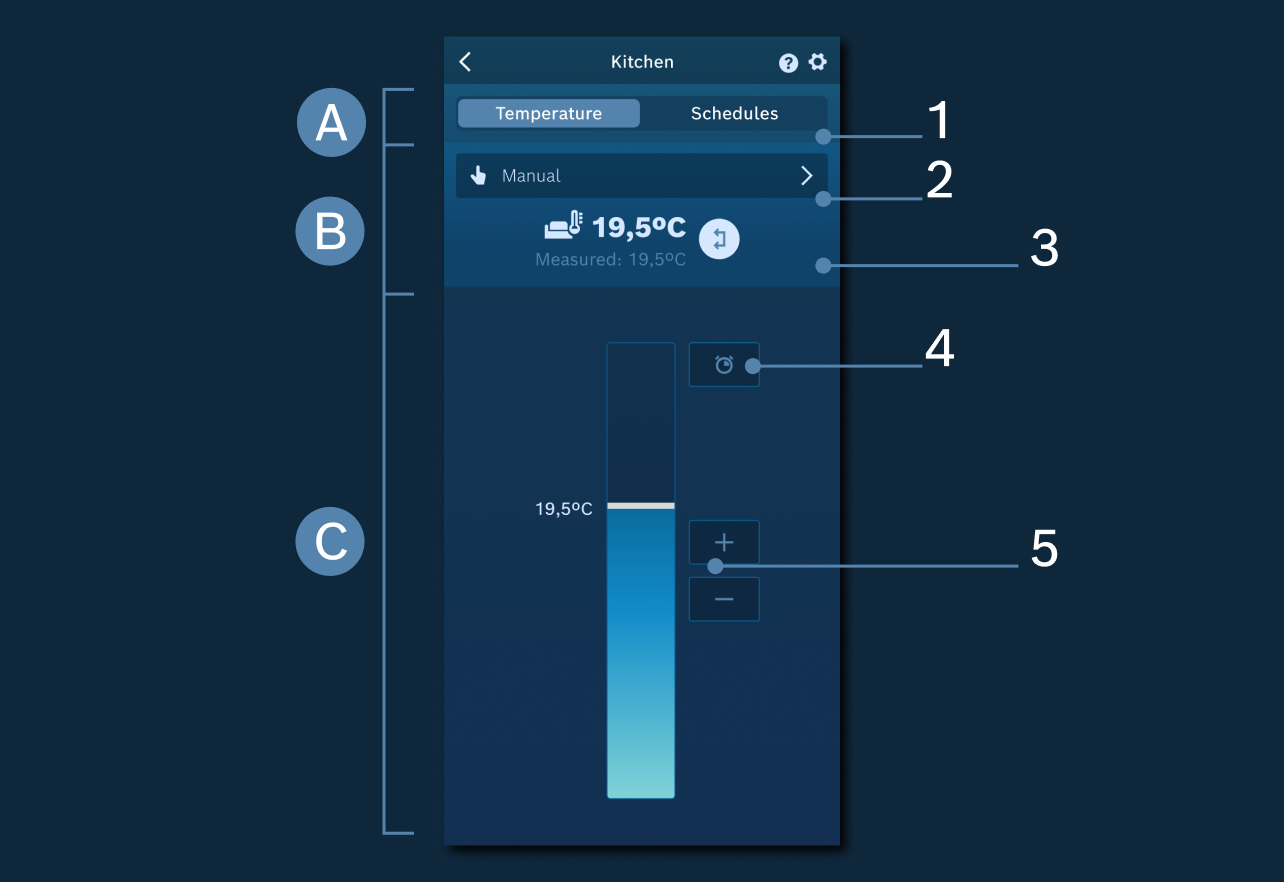
In this screen there are 3 main areas of visualisation and control of temperature.
A - Area to switch to schedules page and change the Manual and Automatic Mode
1. Navigation from manual temperature and Schedules.
B - General settings area
2. Manual/Automatic mode - Change between the Manual and Automatic mode (with schedules).
3. Toggle arrows to switch between two display formats for all rooms, including favorites:
- Current temp on top, setpoint below.
- Setpoint on top, current below.
C - Area to adjust and boost current temperature
4. Timer - Here you can set a desired temperature for a freely definable duration. After this time has elapsed, the control returns to the status before activation.
5. Setpoint temperature increase/decrease - Allows you to increase or decrease the setpoint temperature in steps of 0.5 °C.
Related topics: